
Standard Evolutions upgrade eligible Player Items permanently through gameplay challenges, while Training Camp Evolutions improve cards passively on a timer while the player sits out of matches. Branching Pathways split selected Evolutions into multiple upgrade options so you can shape attributes and PlayStyles around your squad instead of following one fixed track.
Evolutions sit alongside the Transfer Market, SBCs, and mode rewards inside the broader club progression covered in our Ultimate Team guide. FC 27 cuts the cap on PlayStyles+ per item from five to three, brings back the PlayStyle Lab starting in Season 1, and adds in-game Evolution Chain Preview tools for planning multi-step routes before committing.
Evolution Types Compared
| Format | Progression | Match availability | Reversal |
|---|---|---|---|
| Standard Evolutions | Complete gameplay Objectives after setting the slot to Active |
Playable in matches; untradeable while applied and locked out of SBCs while in progress | Remove last or all Evolutions via the action menu (permanent) |
| Branching Pathways | Choose among multiple upgrade rewards at eligible levels | Same lock rules as standard slots; choice locks only when you claim the level reward | Remove applied upgrades via the action menu (permanent) |
| Training Camp Evolutions | Passive timer lasting between a few hours and over 30 days | Unavailable for matches while active, though still viewable in your Club | Cancel early anytime, losing unearned levels with no FC Points or Coins refund |
| Cosmetic Evolutions | Retro and campaign visual customizations from the Season Ladder, Evolution Store, or Objectives | Applied to eligible items; some include active visual effects in matches | Remove last or all applied Evolutions from the Player Item action menu |
Standard Evolutions Workflow, Locks, and Removal
To start a standard Evolution, open Ultimate Team, switch to the Club tab, enter Evolutions, and open Available Evolutions to inspect entry requirements and any unlock cost before submitting an eligible Player Item. Evolutions earned from reward tracks like Season Pass appear under the Rewards tab on the same screen.
Once submitted, move to My Evolutions inside Club -> Evolutions, set the slot to Active to track Objectives, finish the challenges, and claim the permanent upgrades. Matches in Squad Battles count toward most general Objectives and are often used for dedicated Evolution tasks such as the “Academy Grind” Evolution.
Several lock and expiry rules govern active standard slots:
- Untradeable status: Putting a Player Item into a standard Evolution slot makes that card untradeable for as long as the Evolution remains applied.
- SBC and discard block: While an Evolution is still in progress, you cannot discard the card or submit it into Squad Building Challenges; once every upgrade finishes and the Evolution completes, the item becomes eligible for SBCs again.
- Chemistry bonuses: Some Evolutions can strip Chemistry bonuses from Special Items, so check squad links in our chemistry rules guide before locking in a special card.
- Single-player commitment: Only one Player Item can occupy a given Evolution, and you cannot withdraw the card or forfeit the slot once started.
- Dual time limits: Evolution Slots may display
Get Within X Days(the window to activate the slot),Expires In X Days(the deadline to finish Objectives), both, or neither. IfExpires In X Daysexpires early, you retain upgrades from finished levels and forfeit incomplete or partially complete levels. - Repeatable Evolutions: Certain slots allow multiple completions, including on the same Player Item if it still satisfies entry criteria. Paid repeatable slots charge separately per entry rather than unlocking every repeat, and some impose a cooldown after completion.
Removing an Evolution is permanent and cannot be reversed. Open the Player Item’s action menu, pick whether to remove only the last Evolution or all Evolutions, review the downgrade breakdown, and hold the confirmation control to execute the change.
After removal, the card moves back to your Club and must be placed into your squad manually if it was active there. If the card was tradeable before any Evolutions were applied, removing all Evolutions restores its tradeable status.
Branching Pathways, Chain Preview, and PlayStyle Lab
Traditional linear upgrades still appear in FC 27, but selected Evolutions introduce branching Pathways with multiple upgrade choices. For example, one branch can raise dribbling and add  Technical, while another strengthens defensive awareness and grants
 Jockey.
Whenever an Evolution level offers multiple rewards, you can preview each option and swap between choices freely. Your pick locks only after you finish that Evolution level and claim its rewards.
Evolution Chain Preview moves multi-step planning directly into Ultimate Team so you can evaluate chained routes before committing a card. Select an initial Evolution, pick a player, choose Preview Evolution, and add subsequent Evolutions to inspect the combined path; each added step filters remaining available Evolutions using the player’s projected stats.
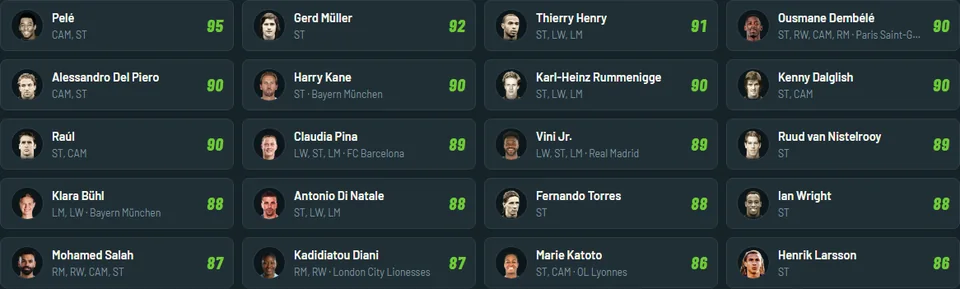
Before locking in a chain, inspect base attributes in the player database or stack candidate cards side by side in the player comparison tool.
The PlayStyle Lab returns from FC 26 as a recurring FC 27 program starting in Season 1 so you can customize PlayStyles on eligible items. Eligible cards arrive with pre-applied PlayStyles so you fine-tune part of their kit rather than starting from zero, and different PlayStyles carry different time or effort requirements to preserve individual player identity.
In Ultimate Team, FC 27 cuts the single-item PlayStyles+ cap from five to three, slows yearly attribute growth, and spaces Evolution releases further apart with targeted positional and Attribute criteria. In its November 11, 2026 FUT Developer Notes post, EA stated it would explore and test adjustments across the season to keep Evolutions rewarding alongside SBCs and the Transfer Market.
You can browse all 36 PlayStyles in the PlayStyles database — including  Finesse Shot+,
 Incisive Pass, and
 Quick Step+ — and review all 49 tactical slots in the Roles database, where FC 27 special items launch with Role++ familiarity across their primary and secondary positions.
Cosmetic Evolutions expand customization alongside stat upgrades: Season 1 introduces Retro Cosmetic Evolutions inspired by FUT 18, FUT 19, and FUT 20 via the Season Ladder and Evolution Store, while campaigns add further Cosmetic Evolutions through the Evolution Store and Objectives. Progressing along the Premium Pass can also award PlayStyle+ EVO Consumables.
Players who own the Ultimate Edition or early-bird Ultimate Plus Edition gain 1 additional Player Evolution Slot in FC 27.
How Training Camp Evolutions Work
Training Camp Evolutions deliver passive upgrades over time instead of requiring gameplay Objectives. EA expanded Training Camp Evolutions in FC 27 as accessible entry points that help lower-rated items in your Club begin an Evolution route.
When you submit a player into a Training Camp Evolution, that item becomes unavailable for matches for a fixed period, though it remains visible in your Club. Timers range anywhere from a few hours up past 30 days, and stronger reward tiers generally require longer lockouts.
Once the timer finishes, claim the earned upgrades to return the player to active use and open eligibility for another Evolution. Unlike standard slots, you can cancel a Training Camp Evolution mid-way, but canceling forfeits unearned upgrades and remaining-level rewards without refunding any FC Points or Coins spent to unlock the slot.
FUT Gallery and Hall of FUT Interaction
Evolution Player Items count toward the FUT Gallery strictly as the original base version of the card prior to entering an Evolution. Applying an Evolution neither increases an item’s Gallery Item Score nor creates a second entry for that player, and Loan Player Items are excluded from Gallery tracking.
See our FUT Gallery and tokens guide for how Set Grades, Tags, and Gallery Tokens progress across your Club history.
Base Hall of FUT items earned through the Gallery Token Store follow the same Chemistry rules as Heroes and remain eligible for Evolutions whenever they meet entry requirements. In its November 13, 2026 Hall of FUT: Unleashed announcement, EA stated that the Gallery Token Store will add tailored Evolutions for upgrading Base Hall of FUT players starting in Season 3.